
Project Editor - Billing Rates
Each project will have its own unique set of billing rates. In most cases, these will be generated from your master billing rates.
Master Rates
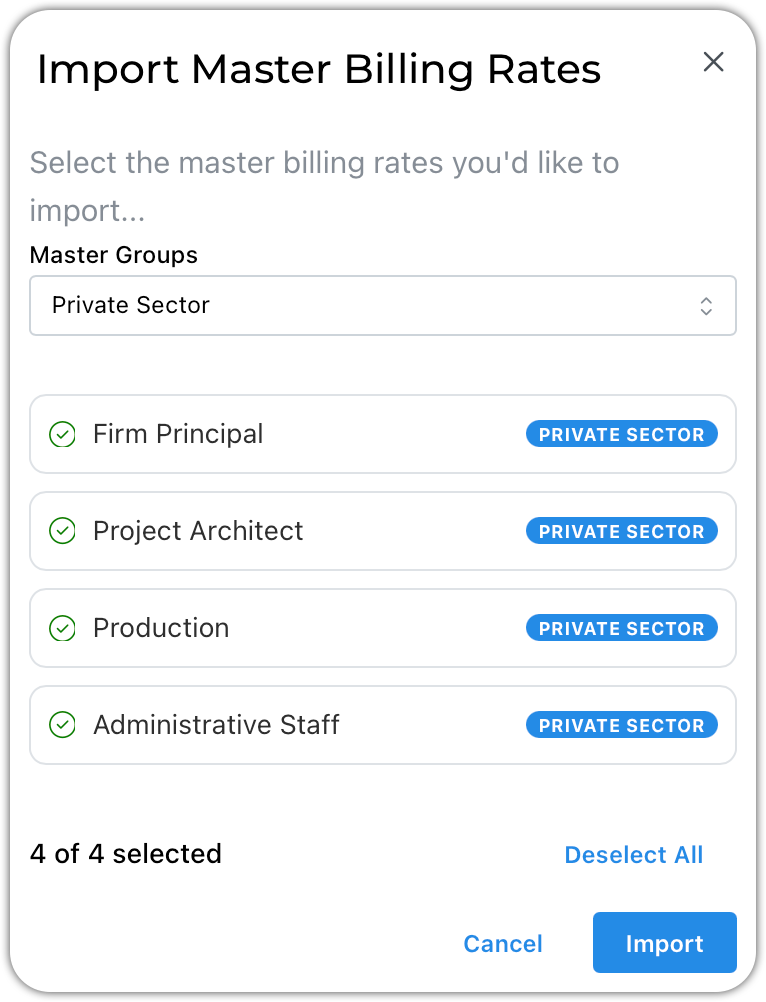
1. Filter the list by group as shown here (optional) 2. Select the rates you would like to add to your project 3. Click Import
Project Billing Rates
Once rates are imported, they become unique to the project.
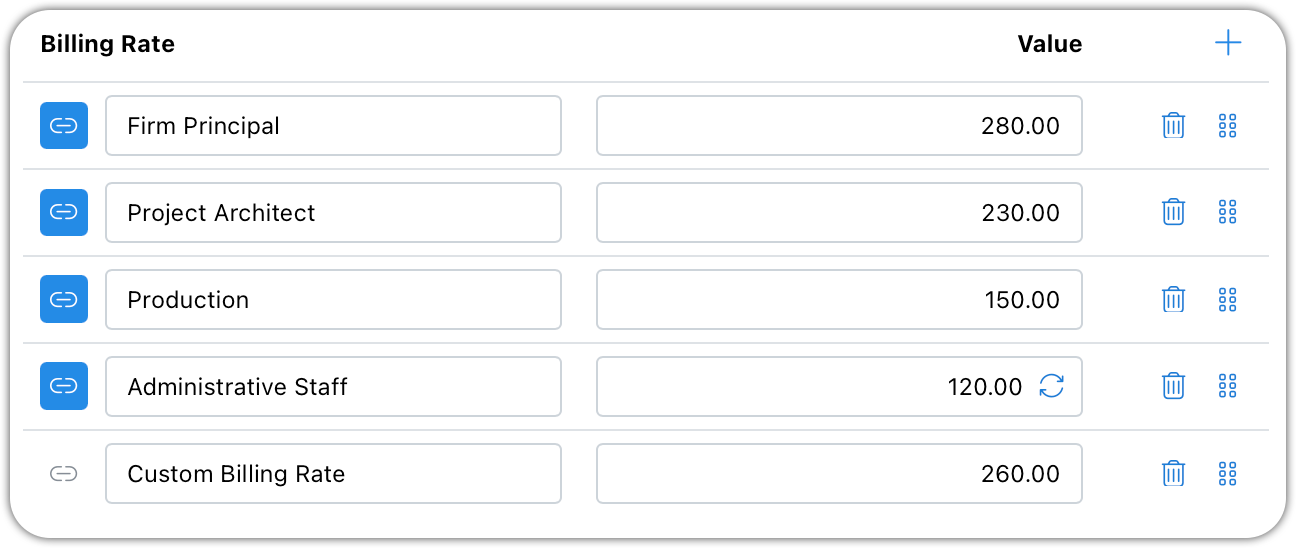
You can edit the rates for each project individually.
Modified rates can be reset to match the linked master rate by clicking the circular arrows.
Use the drag-and-drop handles to reorder them.
Custom rates can be added to any project.